
A good image can still fall apart when you look closely. The composition works, the lighting is there, but a material or a small detail needs more attention. Generating the entire image again can change the parts that were already right.
I wanted to work on those details without starting over. This Dior study became a way to test that process: build the image, crop what needs work, restore the crop and bring it back into place.
Start with the image you want to keep
A 3D reference guided the base generation. From there, I reworked the image and polished it towards a photographic result. The reference gave me control over the arrangement before moving into the finer details.
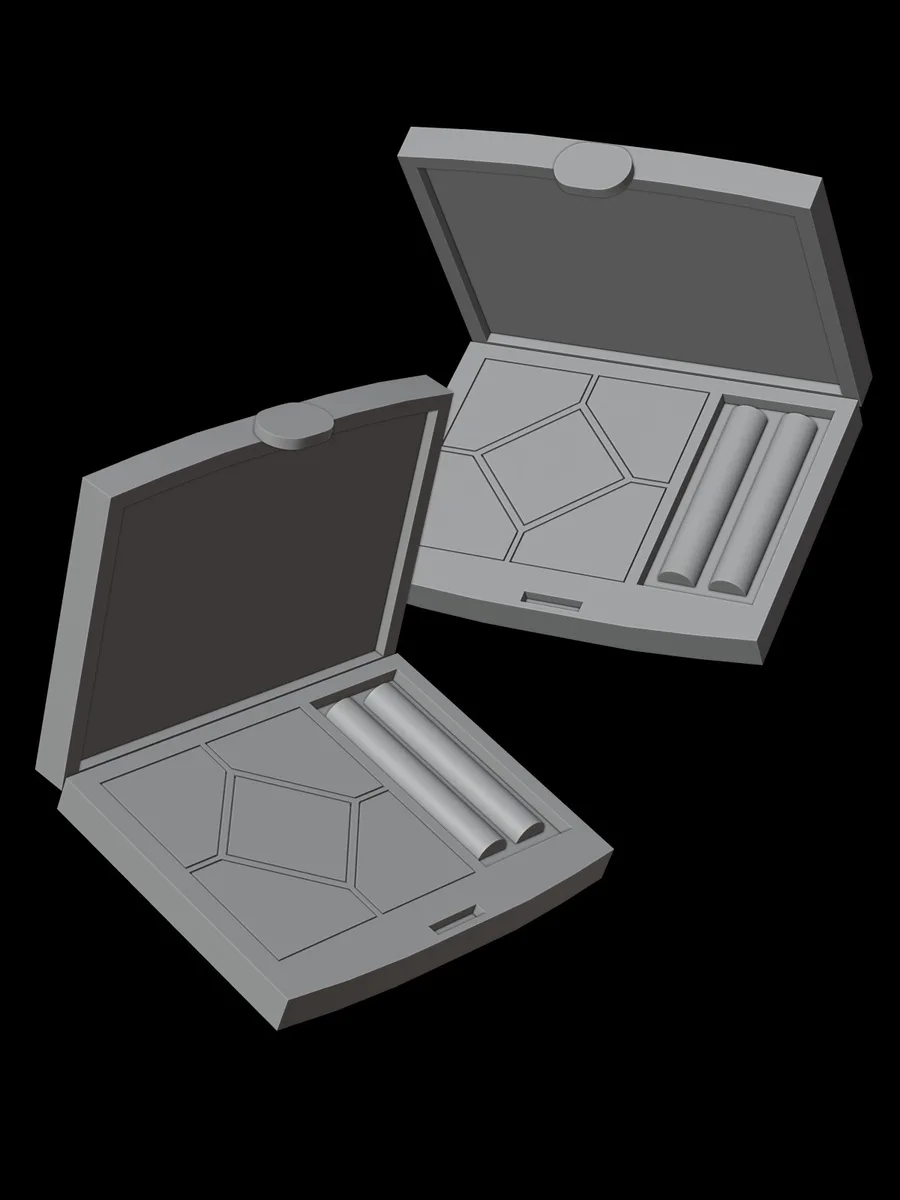
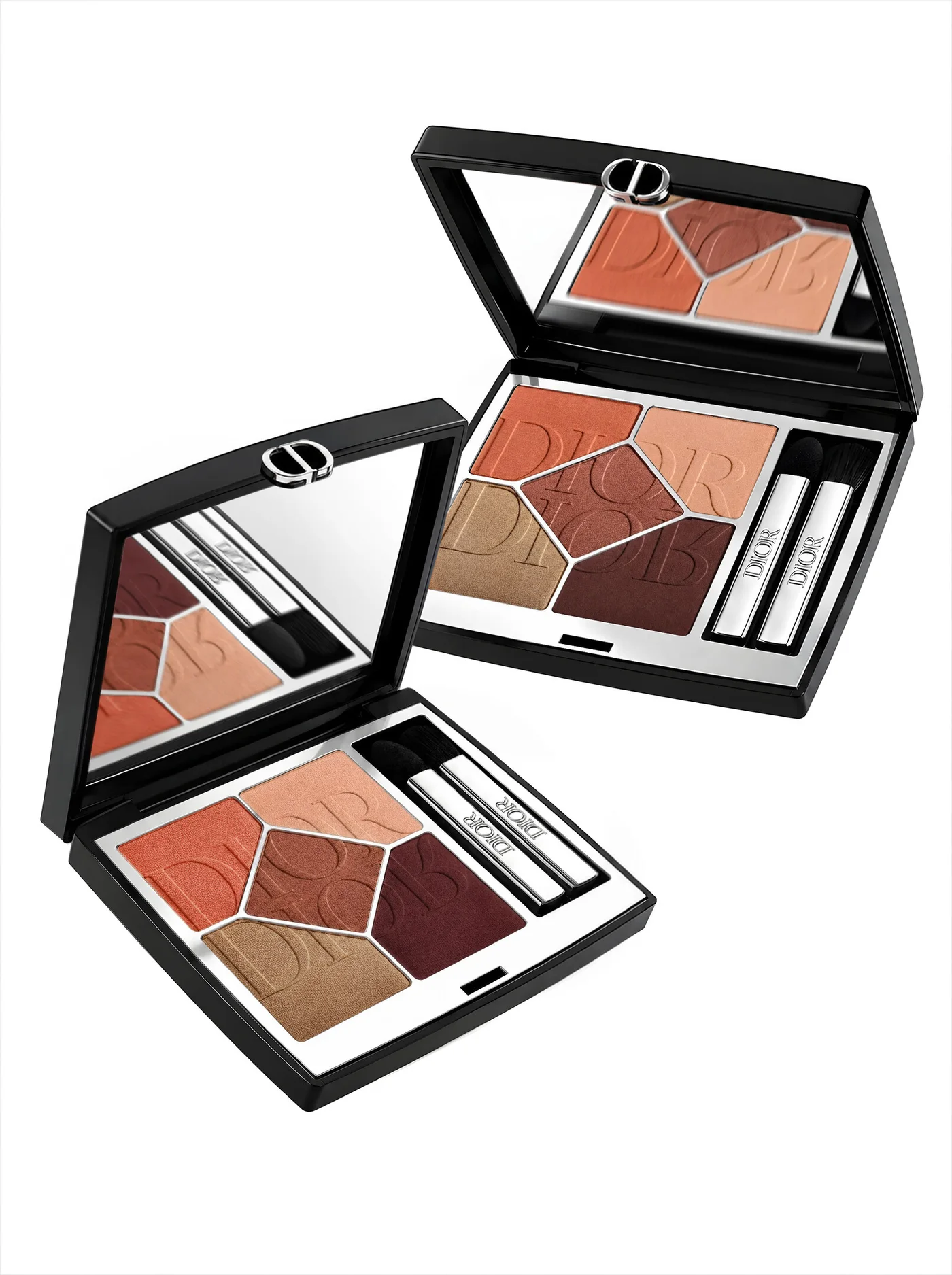 3D referenceFinished image
Give the crop better inputs
The eyeshadow texture needed its own pass. I fed high quality references of the material into Oro and used a detailed prompt to guide the restoration. Working on a close-up meant the texture could receive more attention than it would in the full composition.
The goal was to improve that area while keeping the identity and structure of the original image. The crop could be reworked on its own, then checked against the image it came from.
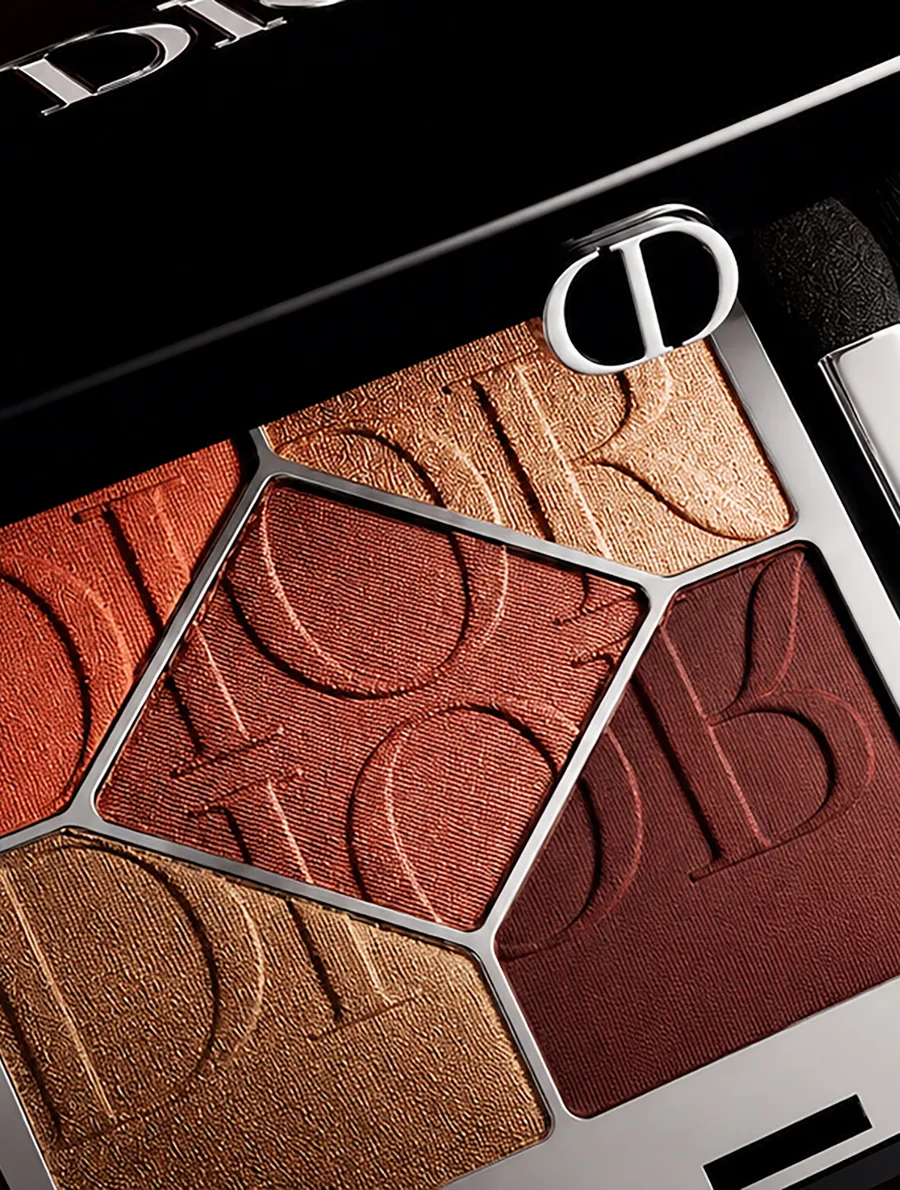
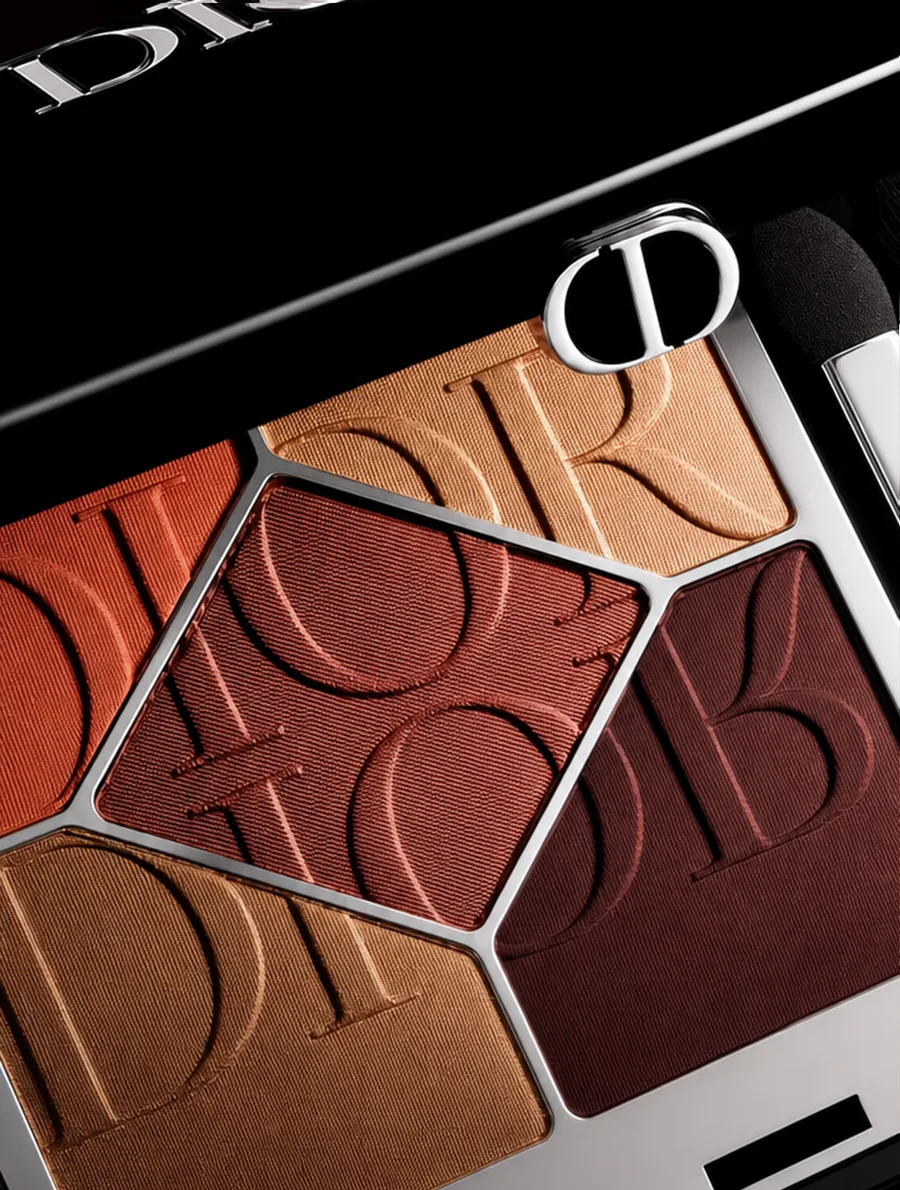 BeforeAfter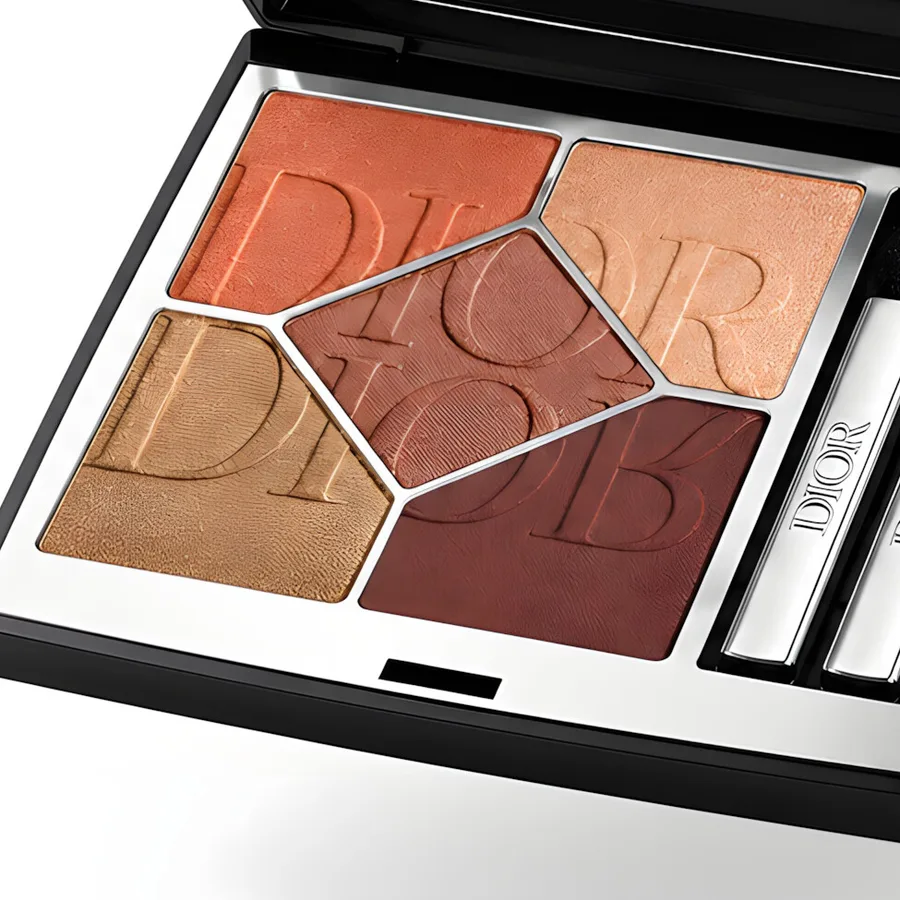
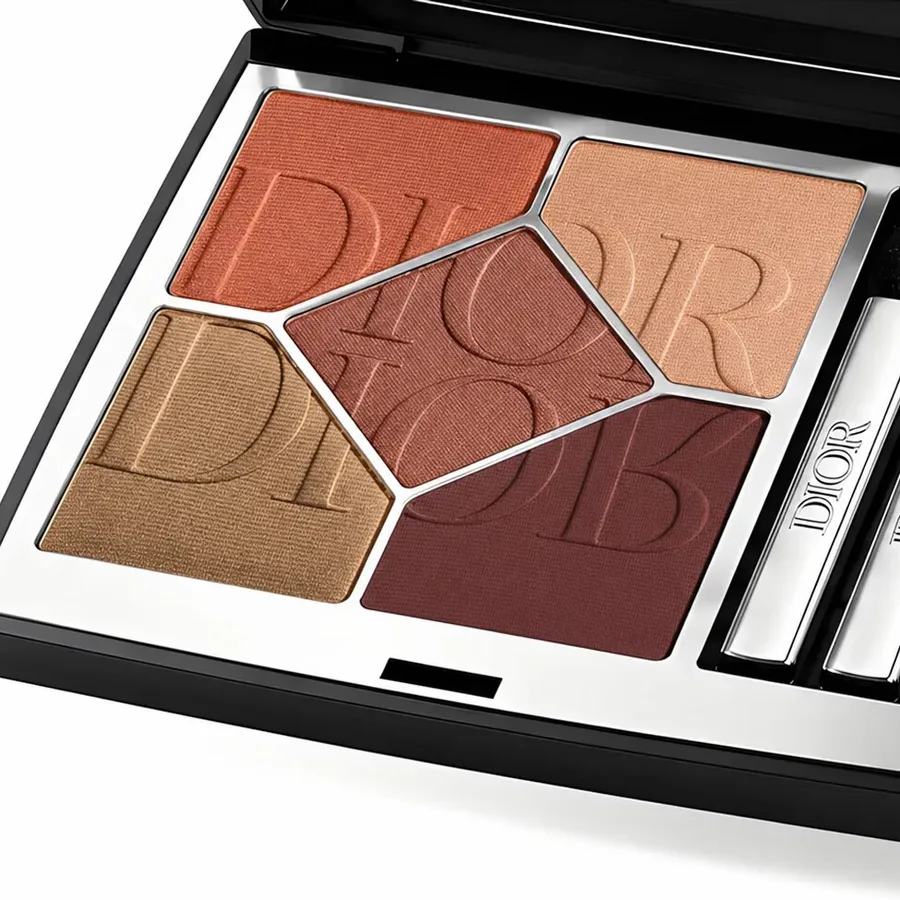 BeforeAfter
Stitch it back into place
A restored crop still needs to fit the larger image. Its position, scale and color may have shifted during the edit. Pasting it back can leave a visible edge, even when the new detail looks good on its own.
My workflow aligned the restored crop, matched its color and blended it back into the full image. Automating those repeated steps let me spend more time checking the result and less time rebuilding the same operation by hand.
The process, now inside Oro
Stitch Restore brings that process into Oro. You give it the full image and the edited crop. It looks for matching features, aligns the crop and blends the restored area into the original. Color matching and blending controls help you adjust the result.
Some edits change too much for automatic alignment. Alignment Rescue lets you guide the match with corresponding points instead. You can work on the crop, check the blend and keep adjusting until it fits the image you wanted to preserve.
That is why I built it. A small part of an image should be something you can improve, without having to rebuild everything around it.
About this study
This is an independent study of artificial intelligence techniques using Dior products. All rights to the Dior brand belong to Dior. The images and workflow study are by Gabriel Moro. Tools used in the original study: Oro, Adobe Photoshop, ChatGPT and Python add-ons.